> ## Documentation Index
> Fetch the complete documentation index at: https://docs.atopile.io/llms.txt
> Use this file to discover all available pages before exploring further.
# 3. Adding Parts
> Add components to your design from packages, suppliers, and more!
You can add parts to your design in three ways:
* Install a pre-made **package**
* Find specific component with **supplier search**
* Select passives automatically with the **auto-picker**
## Packages
A **package** is a re-usable module with design, layout, and validation already completed.
It's a quick and easy way to integrate components and functionality in your design.
See the [packages guide](../essentials/4-packages) for more details.
### Installing Packages
Let's add an ESP32 microcontroller and WiFi module.
In the sidebar, open the **Packages** tab. Under the **Browse** tab, you can search for and browse available packages.
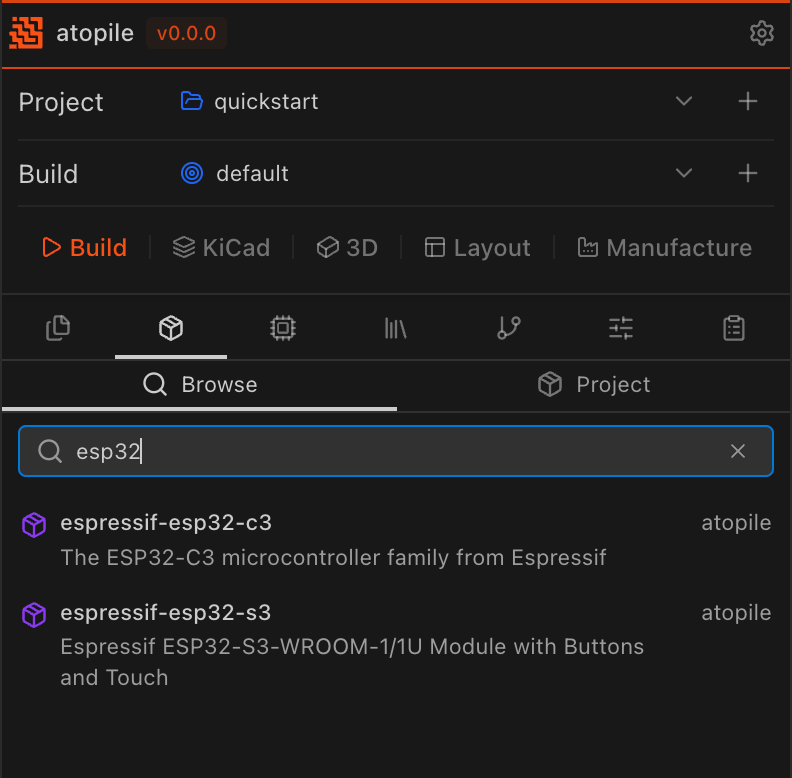 Click a package to get an overview and install it!
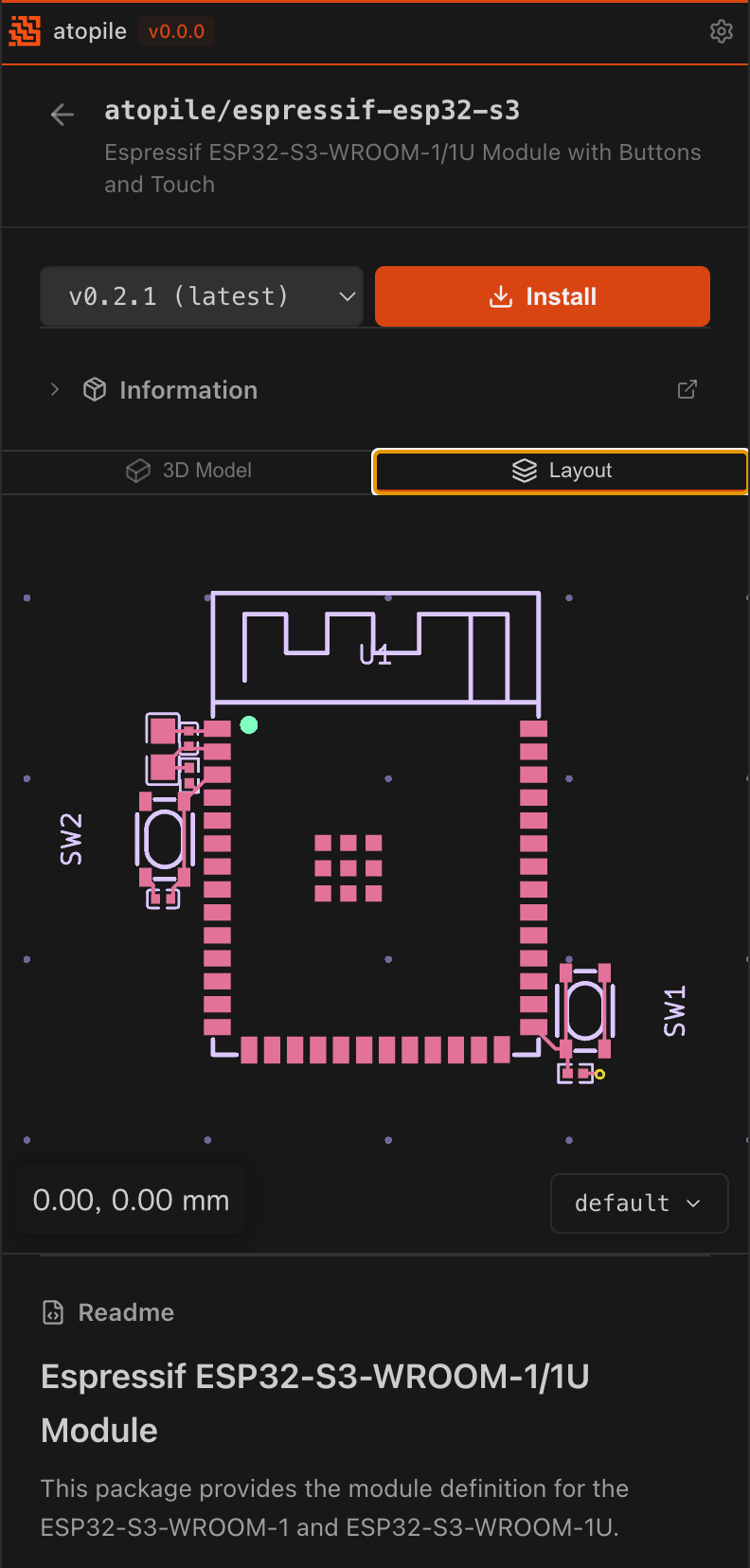 ```ato theme={null}
from "esp32-s3.ato" import ESP32S3
module MyProject:
mcu = new ESP32S3
```
## Supplier Part Search
### Finding Parts
In the sidebar, open the **Find Parts** tab. Under the **Find Parts** sub-tab, search for JLCPCB parts by name, description, or part number. Click on a part to add it to your project.
You can switch to the **Project** tab to view the parts already added to your project.
See the [adding components guide](../essentials/3-add-component) for more details.
## Auto-picker
For passives and other common components, specify your requirements and atopile will automatically select a matching part:
### Standard Library
```ato theme={null}
resistor = new Resistor
resistor.resistance = 10kohm +/- 5%
resistor.package = "0402"
```
The **Standard Library** tab in the sidebar lists built-in interfaces and modules (such as `Resistor`, `Capacitor`, `LED`, `MOSFET`, and more). Most of the components in the standard library are auto-pickable.
See the [Standard Library Reference](../api-reference/components/battery) for more details.
```ato theme={null}
from "esp32-s3.ato" import ESP32S3
module MyProject:
mcu = new ESP32S3
```
## Supplier Part Search
### Finding Parts
In the sidebar, open the **Find Parts** tab. Under the **Find Parts** sub-tab, search for JLCPCB parts by name, description, or part number. Click on a part to add it to your project.
You can switch to the **Project** tab to view the parts already added to your project.
See the [adding components guide](../essentials/3-add-component) for more details.
## Auto-picker
For passives and other common components, specify your requirements and atopile will automatically select a matching part:
### Standard Library
```ato theme={null}
resistor = new Resistor
resistor.resistance = 10kohm +/- 5%
resistor.package = "0402"
```
The **Standard Library** tab in the sidebar lists built-in interfaces and modules (such as `Resistor`, `Capacitor`, `LED`, `MOSFET`, and more). Most of the components in the standard library are auto-pickable.
See the [Standard Library Reference](../api-reference/components/battery) for more details.